01 · Bridge
Start with the signal.
See machine load, warnings and workspace pressure before you choose where to look next.
Open full-size screenshot ↗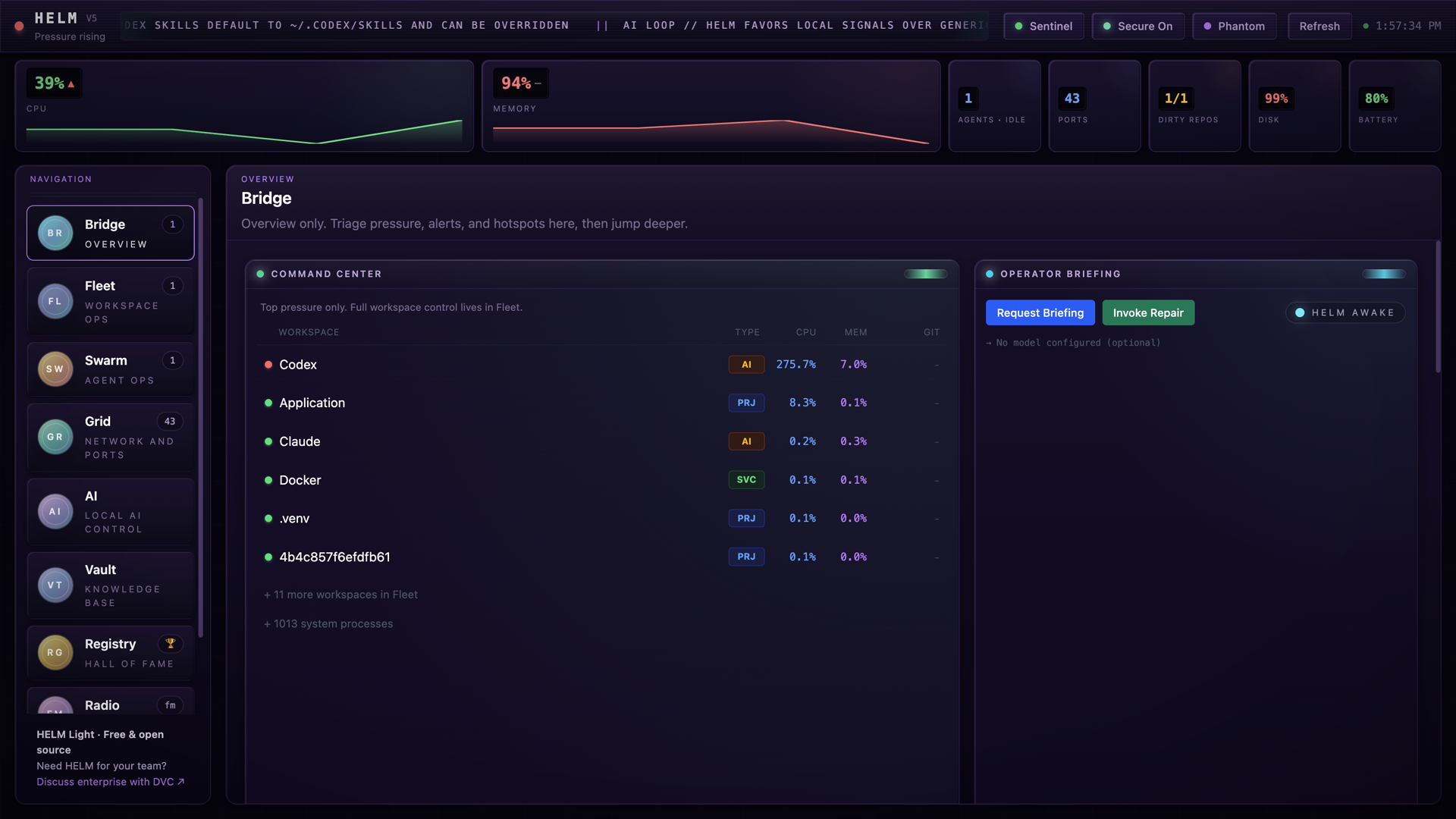
DVC APPLICATIONS · FREE & OPEN SOURCE
Agents working. Services listening. Projects changing. Get the picture in one desktop shell, then choose your next move.
Based on v5.0.0, with additional fixes in the review build. The demo includes unshipped changes. Roadmap dates are targets, not release promises.
Download the video ↓You have agents working, services listening, and projects changing. The hard part is knowing what needs you next.
Helm brings that picture into one desktop shell. Start on the Bridge, where live machine load and warnings tell you where to look.
Open Fleet. See which repositories have changed, then inspect the branch and recent commits. The status comes from the repository on this machine.
Switch to Swarm. Open a detected agent to see its process, command and working context, instead of guessing from another terminal tab.
Grid shows listening ports and the processes behind them. Keep the system in view while you decide what to inspect next.
No model is required to get started. The AI page says when no model is configured. Briefings stay optional.
Here is the proposed roadmap. October thirtieth: the reliability update. November twentieth: guided setup and clearer connection diagnostics. December eighteenth: agent session export and a documented Windows and Linux test pass. These are targets for review, not release promises.
Helm Light is free and open source under Apache two point oh. Clone it and run it locally. Need Helm for your team? Discuss enterprise with DVC.
LESS GUESSWORK
Start with the overview. Move into a repository, an agent or a listening port when something needs your attention.
01 · Bridge
See machine load, warnings and workspace pressure before you choose where to look next.
Open full-size screenshot ↗02 · Fleet
See the branch and working-tree status beside the processes that are using your machine.
Open full-size screenshot ↗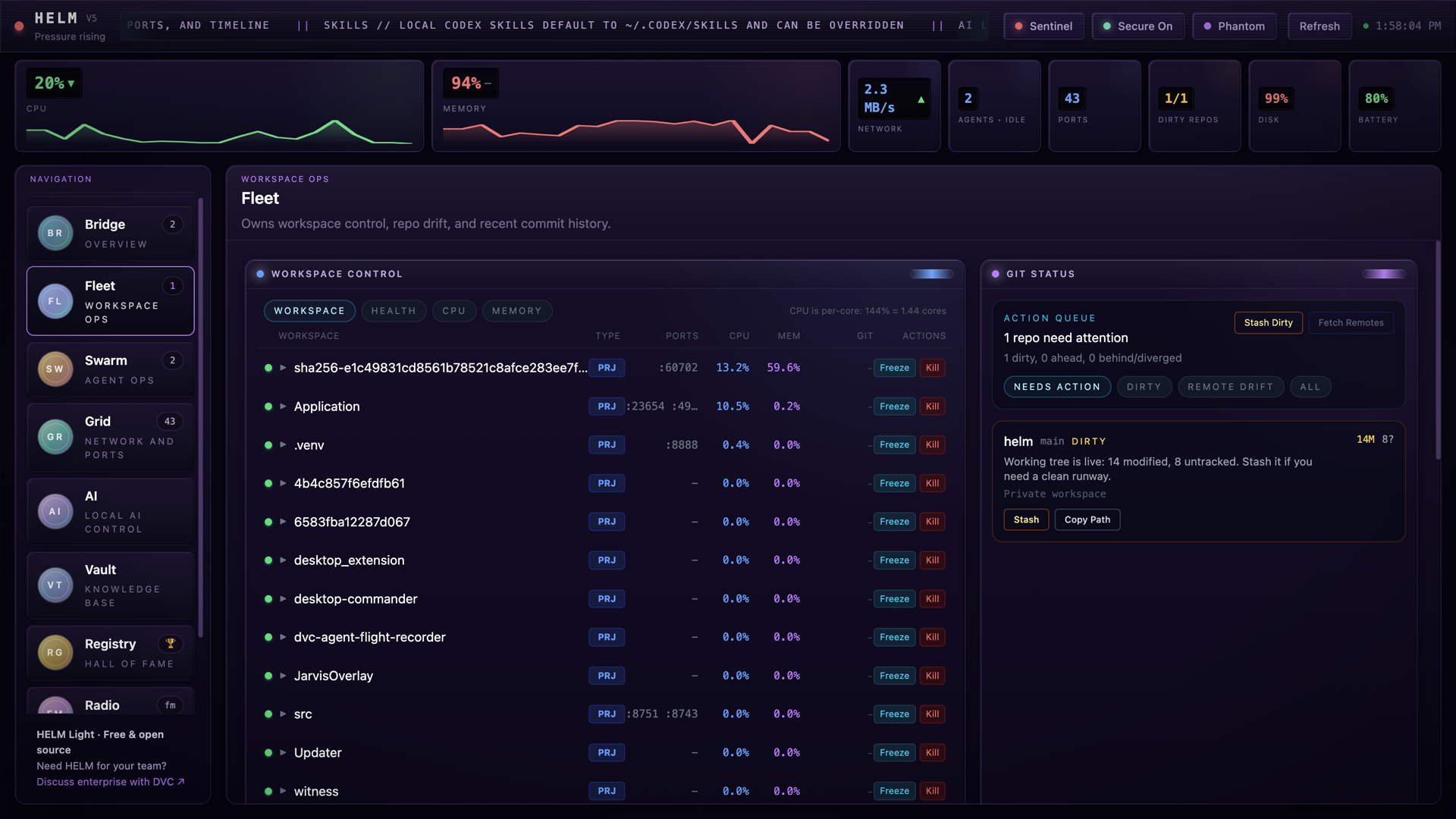
03 · AI
Helm works without a configured model. Connect an OpenAI-compatible endpoint when you want AI briefings.
Open full-size screenshot ↗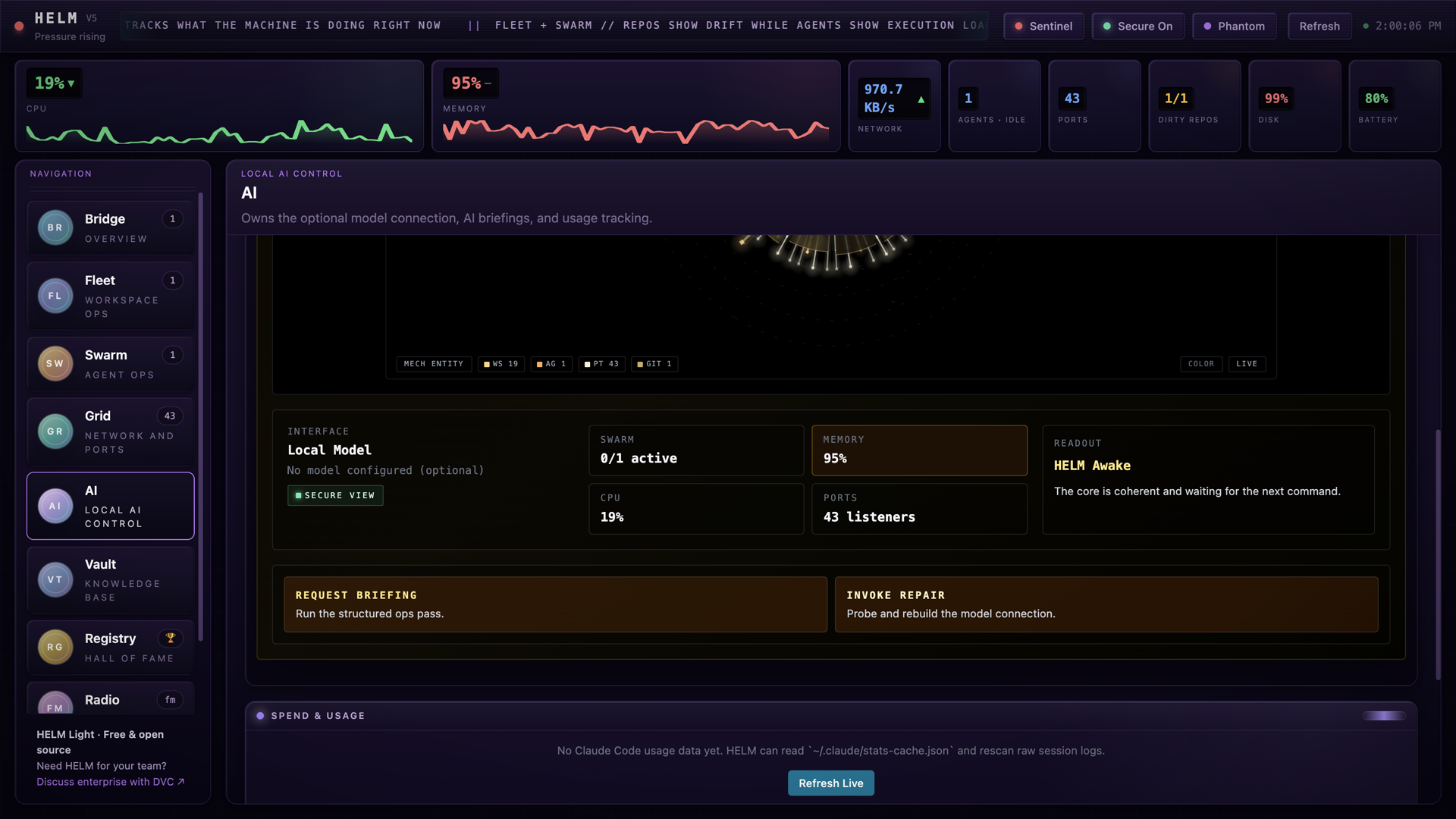
RUN IT LOCALLY
Helm Light is the open-source desktop app. It is separate from DVC's internal native Mac edition.
Use Node.js 22.12 or newer. macOS is the primary supported platform. Windows and Linux hardware validation is a roadmap target.
Read the setup guide ↗FROM SOURCE
git clone https://github.com/dark-vector-cognition/helm.git
cd helm
cp .env.example .env
npm install
npm run dev
No model configuration is required to start. Optional integrations need their own configuration.
Read the Apache-2.0 license ↗WHERE HELM GOES NEXT
These are 2026 targets. Scope and dates can change. A milestone is complete when its release evidence is verified.
Radio playback and relay safeguards, clean window reopen, current CPU sampling and clearer state indicators.
Guided setup and useful diagnostics for the optional model connection.
Agent session export and a documented test pass on actual Windows and Linux hosts.
OPTIONAL SUPPORT
HELM is free and open source. If it helps your work, you can make a one-time contribution. Support is optional.
Support HELM ↗HELM FOR YOUR TEAM
Tell DVC how your team works and what it needs from Helm. Start with your requirements and agree the scope together.
Discuss team use →